
Available
Clicky
Add one site with its site key, or connect your Clicky account login to automatically list and import all your sites at once.
Requirements:Site key or Account login
Setup guideDocumentation
Setup guides for every supported analytics provider, configuration instructions, troubleshooting steps, and answers to common questions.
Quick Start
ClickyPanel runs locally on your desktop and queries your analytics providers directly. No tracking scripts to install, no new accounts to create, and zero cloud lock-in.
Download the build for macOS, Windows, or Linux from the download page.
Click Add site and paste your Clicky, Matomo, or Umami keys. Credentials stay encrypted locally on your disk.
Starred sites follow you into your menubar or system tray with real-time visitor counts.
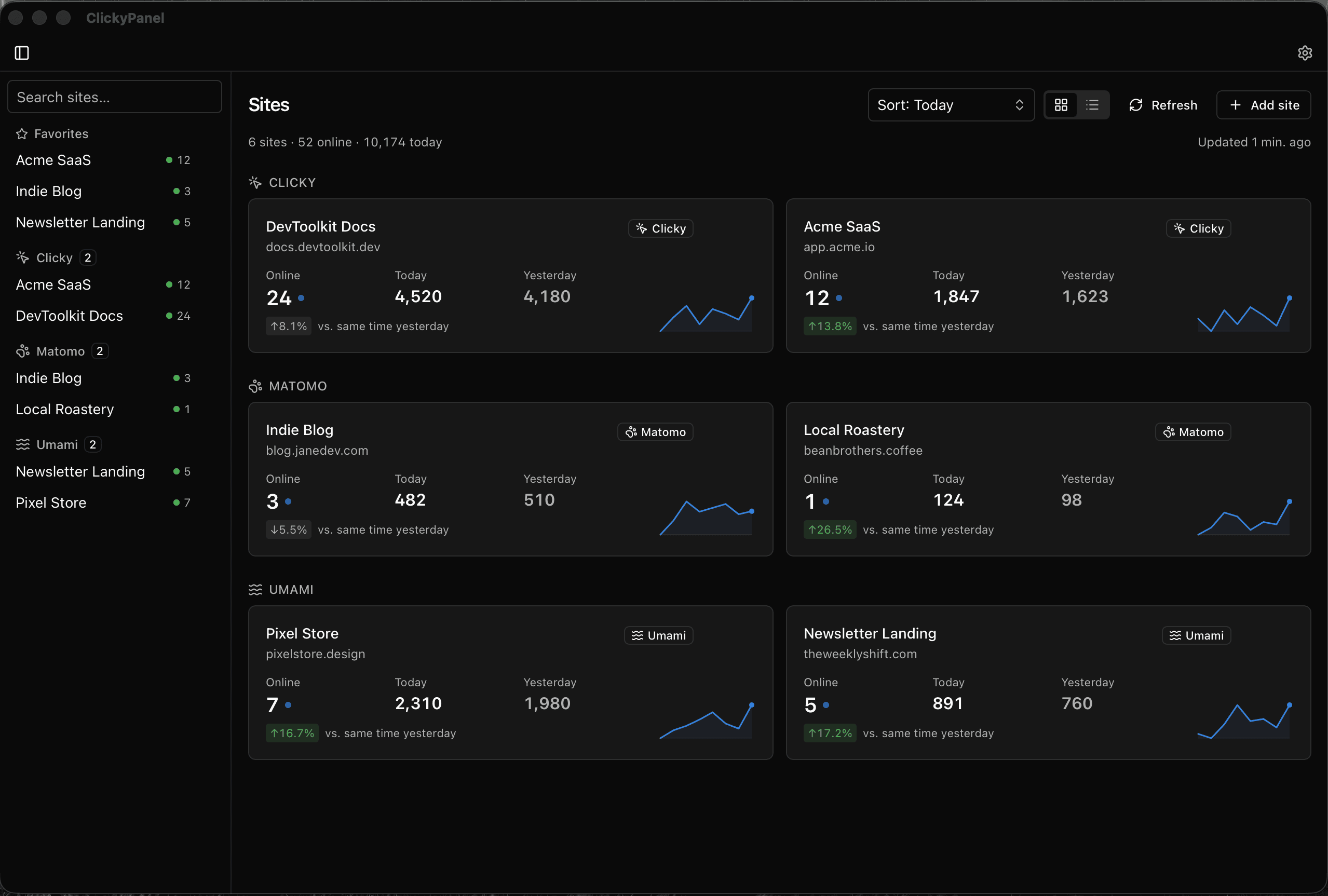
● Live multi-site desktop monitor
PROVIDERS
ClickyPanel connects directly to your analytics servers using your credentials. Each provider requires slightly different setup details:
Add one site with its site key, or connect your Clicky account login to automatically list and import all your sites at once.
Works with both Matomo Cloud and self-hosted instances. Connect with your instance URL and an auth token to list all accessible sites.
Connect your self-hosted Umami server with your URL and login credentials. Fast, privacy-friendly visitor monitoring.
HELP & REFERENCE
Detailed answers to technical questions and diagnostic checklists when numbers stop reporting.
Common questions about what ClickyPanel does, what it costs, local encrypted storage, offline grace periods, and update policies.
What to do when a site shows no data, stops refreshing, reports an unfamiliar number, or when provider rate limits are encountered.