
Downloads
Download ClickyPanelv3.0.1
Fast, native desktop traffic monitor for macOS, Windows and Linux. Install in seconds, connect your providers, and keep your eye on live visitors without keeping ten browser tabs open.
- Universal .dmgmacOS 12 Monterey or newerSHA-256 Checksum
e80fa2af97eab49fbda1b624eadf22d852be0d10c9dffd022ab577ea95068694On first launch macOS may block the app. Open System Settings, go to Privacy & Security, and click Open Anyway.
- x64 .msiWindows 10 or newerSHA-256 Checksum
4c150a226cb38104bb1fca0f673dd4327274b48bf42056305aeb364f96c6b0c3Windows SmartScreen may show a warning on first launch. Choose More info, then Run anyway.
- x86_64 .AppImage and .debSHA-256 Checksum
a3f5d48bc8904df6bb72e3591f1f626d9c55bae2dcf1dbc237793c44bc8a4f88Also available: ClickyPanel_3.0.1_amd64.debc691efcce534e92a821e524946c0c36acd9397b034724e0bae8b83ace3a5f79fThe .deb targets Debian and Ubuntu. The AppImage runs anywhere with a recent WebKitGTK.
Looking for the old ClickyPanel? You can still download ClickyPanel v2 (Windows).
Zero setup friction
Ready in 30 seconds. No account needed.
ClickyPanel connects straight to your analytics providers from your machine. No cloud middleware, no new password to remember, and your data never leaves your computer.
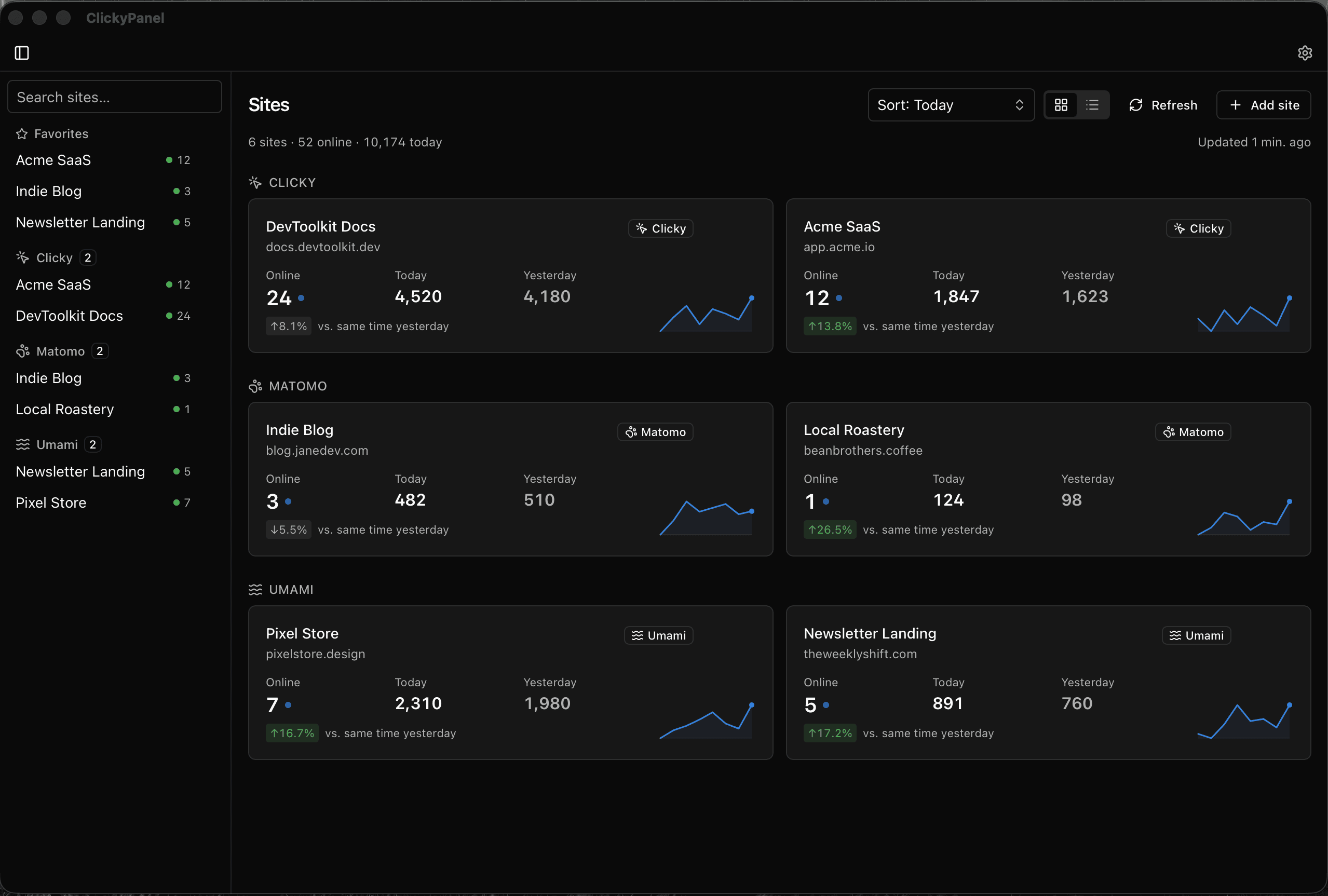
Install and launch
Runs as a fast, native desktop app on macOS, Windows, and Linux with local encrypted storage.
Paste your provider key
Connect Clicky, Matomo, or Umami. Credentials are validated locally and never touch our servers.
Glance & get back to work
Star your priority site into your menubar or taskbar. Click anytime for a live dropdown summary.
Before you install
System requirements
Nothing here is unusual: any computer on a supported operating system runs ClickyPanel. The lines worth checking are the OS version and, on Linux, WebKitGTK.
macOS
- macOS 12 Monterey or newer
- Apple silicon and Intel - one universal build, not a separate download each
Windows
- Windows 10 or newer, 64-bit
- Microsoft Edge WebView2 - the installer adds it when it is missing, so keep a connection during install
- No 32-bit or Arm64 build
Linux
- x86_64 - Ubuntu 22.04, Debian 12, or newer
- WebKitGTK 4.1 (libwebkit2gtk-4.1)
- No Arm64 build
Every platform
- An account with Clicky, Matomo, or self-hosted Umami - ClickyPanel reads the analytics you already run
- An internet connection, to reach the providers you connect
- One online activation; afterwards it keeps working for 30 days at a time without reaching us
First launch notes
What to expect on first launch
Because ClickyPanel is distributed directly outside app stores, your operating system may show a quick confirmation on first launch. Here is how to complete it in two seconds:
Gatekeeper check
macOS may say it could not verify ClickyPanel. Click Done, then openSystem Settings and go to Privacy & Security. Scroll down, clickOpen Anyway next to ClickyPanel, and enter your password. You only need to do this once.
SmartScreen prompt
Windows SmartScreen may show a warning. Click More info, then select Run anyway. To verify the binary checksum in PowerShell:
Get-FileHash .\ClickyPanel.msi -Algorithm SHA256Package execution
Make the AppImage executable before running, or install the .deb package:
chmod +x ClickyPanel.AppImage
sudo apt install ./clickypanel.deb